
HubSpot WhatsApp Integration in 2026: Setup, Pricing, and the Tradeoffs
Published: April 6, 2026
Last updated: July 8, 2026
People Also Ask
Related Questions
HubSpot has had WhatsApp integration since 2022, but most teams searching "hubspot whatsapp integration" in 2026 still hit the same three questions: what plan do I need, what does it actually do, and what does it cost when WhatsApp fees are layered in.
Here is the honest answer. If you already pay for HubSpot Professional and only need one WhatsApp number, the native integration can work. If WhatsApp is a real sales or support channel for your team, the one-number limit and lack of AI or deeper inbox controls usually push you toward a dedicated WhatsApp inbox that syncs back to HubSpot.
What HubSpot's Native WhatsApp Integration Includes
If you're on Marketing Hub Professional or Sales Hub Professional (or above), native WhatsApp integration is included. You get:
- One WhatsApp Business number connected to your HubSpot portal
- WhatsApp as a channel in HubSpot's shared inbox
- Conversation logging on contact records
- Template message creation and submission to Meta for approval
- Workflow triggers that send WhatsApp template messages
- Reporting on WhatsApp conversation volume and response time
The integration uses HubSpot's WhatsApp Business API connection, which means it's officially sanctioned by Meta and operates under the same rules as any other WhatsApp Business API setup.
Plan Requirements and Real Costs
WhatsApp is gated behind HubSpot's mid-tier plans:
- Marketing Hub Professional: $890/month (annual billing), includes WhatsApp for broadcasts
- Sales Hub Professional: $90/user/month, includes WhatsApp for one-to-one sales
- Service Hub Professional: $90/user/month, includes WhatsApp for support tickets
HubSpot Free, Starter, and CRM-only plans do not include WhatsApp. If you're on Starter, you'd need to upgrade to Professional (a $400-$600/month jump) just to unlock WhatsApp.
On top of HubSpot's fee, Meta charges for business-initiated WhatsApp template messages. Since July 1, 2025, Meta bills per message delivered instead of per conversation window:
- Inbound service replies inside the active 24-hour window: free
- Marketing templates sent outside that window: paid per message, with rates varying by country and volume
- Utility templates such as reminders or order updates: paid per message, usually cheaper than marketing
- Click-to-WhatsApp ads can extend the free service window to 72 hours
For a US-based business sending 2,000 marketing template messages per month, Meta fees may still be modest, but they are separate from HubSpot and they scale with every paid outbound template you deliver. If your motion is mostly inbound sales and support, Meta fees can stay near zero while HubSpot remains the main software cost.
Setup: Connect WhatsApp Business to HubSpot
Before you start, you need:
- A HubSpot plan that supports WhatsApp (Professional or above)
- A verified Meta Business account
- A phone number that is NOT currently on consumer WhatsApp (or willing to disconnect)
- Business documentation if you want a Green Tick (optional)
Then:
- In HubSpot, go to Settings > Inbox > Inboxes.
- Select the inbox where you want WhatsApp to land.
- Click "Connect a channel" and choose WhatsApp.
- You'll be redirected to Meta's Business Manager to verify your account.
- Choose or create a WhatsApp Business Account (WABA).
- Select the phone number to connect (or add a new one).
- Complete Meta's business verification (1-3 days).
- Once verified, HubSpot will show "WhatsApp Connected" with the linked number.
The Meta verification process is identical regardless of which provider connects you -- HubSpot, Instant Reply, or any other BSP. The difference is what happens after the number is live.
What HubSpot's WhatsApp Integration Doesn't Do (Well)
The native integration handles broadcasts and basic two-way conversations cleanly. It hits walls in five places:
1. One Number Per Portal
If you run separate WhatsApp numbers for support, sales, and a different region or brand, HubSpot's native integration forces you to choose one. Multi-number support requires a third-party tool that connects to HubSpot via API.
2. No Native AI Auto-Reply
HubSpot's WhatsApp integration is a manual inbox. It does not auto-reply to common questions, draft responses for reps, or qualify leads. You can pair it with HubSpot's AI Content Assistant, but that's a content writer, not a conversational AI for live chats.
3. No Voice Note Transcription
About 30% of inbound WhatsApp messages in many markets are voice notes. HubSpot displays them as audio files. You and your team have to listen to each one. Instant Reply transcribes voice notes and lets AI respond in context.
4. Limited Template Management
You can build templates in HubSpot and submit them for Meta approval, but the template builder is basic. No A/B testing, limited variable support, no template performance dashboard. Marketing teams running serious WhatsApp campaigns hit this wall quickly.
5. No Cross-Channel Inbox
HubSpot's inbox supports email, chat, Facebook Messenger, and WhatsApp -- but Instagram DMs are not natively supported as a sales channel. If your customers reach you on Instagram, you'll be tab-switching anyway.
HubSpot Native vs Third-Party WhatsApp + CRM Sync
Two paths if you're choosing in 2026:
Path A: HubSpot Native
Best when:
- You're already on Marketing Hub Professional or higher
- WhatsApp is one channel of many, not your primary
- You only need one WhatsApp number
- Your conversations are mostly outbound marketing broadcasts
- You don't need AI or voice transcription
Path B: Third-Party Inbox + HubSpot Sync
Best when:
- WhatsApp is your primary sales or support channel
- You need multiple WhatsApp numbers
- You want AI auto-replies, voice note transcription, or smart follow-ups
- You also use Instagram DMs and want them in the same inbox
- You want to keep HubSpot for CRM but use a purpose-built tool for messaging
The cost math often surprises people. HubSpot Marketing Hub Professional is $890/month. A purpose-built WhatsApp inbox like Instant Reply is $129/month on the Growth plan -- and it syncs to your existing HubSpot Starter or Free CRM.
How Instant Reply's HubSpot Sync Works
If you take Path B, here's the integration model:
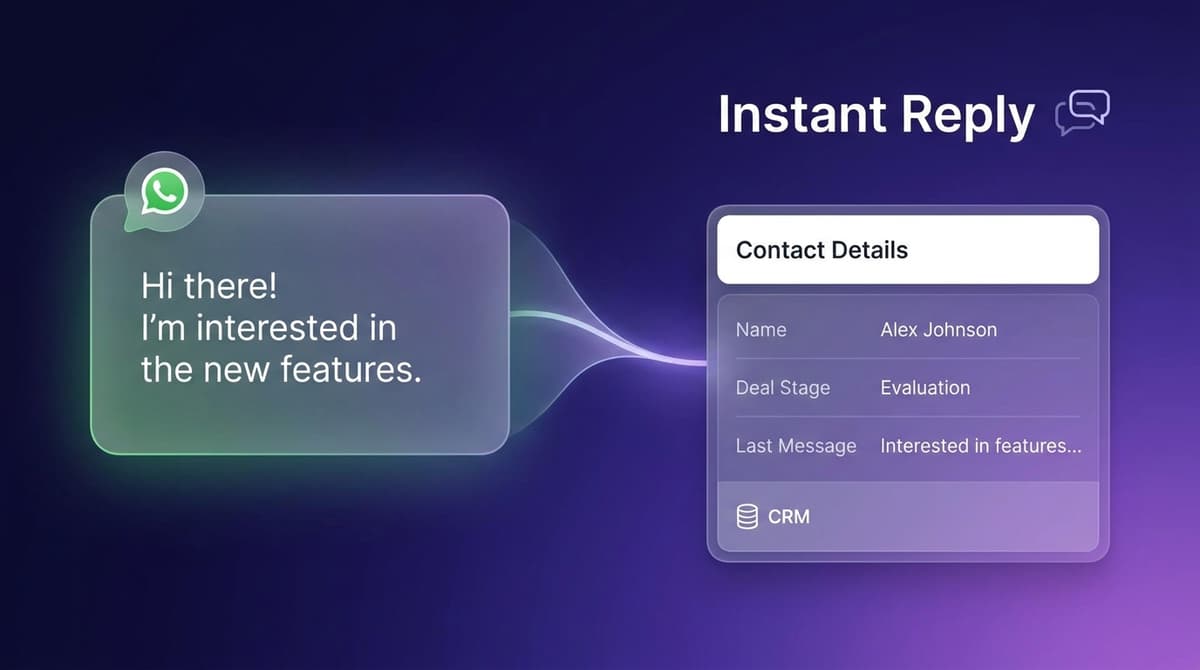
- Customer messages your WhatsApp number. The message lands in Instant Reply's inbox.
- Instant Reply auto-creates or matches the contact in HubSpot (by phone or email).
- The conversation thread is logged as a HubSpot activity on the contact record.
- AI-extracted fields (intent, budget, qualification stage) sync to HubSpot properties.
- When a HubSpot deal moves to a new stage, Instant Reply can trigger a follow-up WhatsApp message.
- Voice notes are transcribed and the transcript is logged in HubSpot.
This setup gives you HubSpot as the system of record and Instant Reply as the conversation layer. You keep HubSpot's pipeline, reporting, and contact database. You add a WhatsApp inbox built for two-way conversations.
FAQ Quick Hits
Can I migrate my existing WhatsApp Business number to HubSpot? Yes, but the number must be on the WhatsApp Business API (not the consumer or Business app). If it's on the consumer app, you have to disconnect first, which loses chat history.
Will HubSpot's WhatsApp integration work with my existing Meta Business account? Yes, provided your Meta Business account is verified and the WhatsApp Business Account is in good standing.
Does HubSpot charge per WhatsApp message? HubSpot itself does not. You pay the HubSpot subscription, and Meta separately charges for business-initiated WhatsApp template messages on a per-message basis.
What to Do Next
If you're already on HubSpot Professional and WhatsApp is your secondary channel, the native integration is the easiest path. Turn it on, submit your first templates, and start.
If WhatsApp is your primary channel -- or you're on HubSpot Starter and don't want to jump $600/month -- start a 10-day Instant Reply trial. Connect your WhatsApp number, sync to HubSpot, and see whether a purpose-built inbox closes the gap. No credit card required.
For more context: see our CRM for WhatsApp guide and the WhatsApp Business API pricing breakdown.
Frequently asked questions
Quick answers to what people ask most.
- Yes. HubSpot offers native WhatsApp Business integration as part of Marketing Hub Professional and Enterprise tiers, and Sales Hub Professional and above. It supports one WhatsApp number per HubSpot portal, basic template management, and inbox integration. Free and Starter tiers do not include WhatsApp.
- HubSpot's native WhatsApp integration is included in qualifying Professional plans. On top of HubSpot's subscription, Meta charges per business-initiated template message delivered. Inbound replies inside the 24-hour service window remain free, and total cost depends on country, template category, and send volume.
- HubSpot's native integration supports only one WhatsApp Business number per portal. If you need multiple numbers (different regions, brands, or teams), you'll need a third-party WhatsApp Business Solution Provider that connects to HubSpot via API.
- Go to Settings > Inbox > Channels in HubSpot, click 'Connect a channel', select WhatsApp, then follow the Meta Business verification flow. You'll need a verified Meta Business account, a WhatsApp Business number not connected to the consumer WhatsApp app, and a HubSpot plan that supports WhatsApp.
- Single WhatsApp number per portal, limited template builder, no native AI auto-reply, no voice note transcription, basic team inbox features, and template approval still requires Meta's review. For teams handling high volumes or needing AI replies, third-party tools fill the gaps.
- Instant Reply offers a deeper WhatsApp inbox with AI replies, voice note transcription, multiple number support, and two-way sync with HubSpot CRM. It costs $129/month (Growth plan) versus $890/month for HubSpot Marketing Hub Pro, and it covers Instagram and Messenger in the same inbox.
10-day Pro trial · no credit card
Give every DM a faster first response.
Instant Reply drafts replies for WhatsApp, Instagram, and Messenger, then keeps humans in control for approvals, exceptions, and booking handoff.
Keep reading
Guides
The Complete Guide to Omnichannel Customer Support (2026)
14 min read

Guides
Auto Reply Templates and Examples (Email, SMS, WhatsApp, DM) for 2026
12 min read
Guides
50+ Instagram Welcome Message Examples That Convert (2026)
11 min read
Guides
WhatsApp CRM: The Complete Guide for 2026 (Best Tools + Setup)
10 min read
Guides
WhatsApp Autoresponder: Setup Guide + 12 Templates for 2026
8 min read
Guides
Instagram DM Automation: Complete Guide for Business (2026)
9 min read
Explore Instant Reply
More tools and solutions
Industry solutions